
Tutors can manage their Littera profiles.
- Sign in to Littera.
- Locate your profile icon in the top right.
- Click the dropdown and choose My Profile.
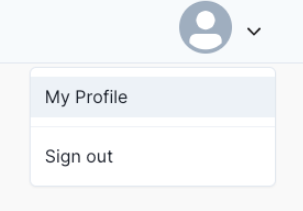
- Below your name on the left, choose Edit Profile.
- The following options are available:
- Enter your preferred First and Last Name.
- Enter a brief bio that tells families and students more about you and your tutoring style under About Me.
- Upload a profile photo.
Note: Photos can be a maximum of 2000px x 2000px, 3MB, and must be .jpg, .png, or .jpeg file type. - Add the Subjects you tutor and the Grade Levels for each.
- Enter your Credentials and Experience.
- Click Save Changes when finished.
Comments
0 comments
Please sign in to leave a comment.